
Introducing the Q4 API: Saudi Stock Exchange data for your products
Today we’re introducing the Q4 API: the data behind Q4, for every company listed on the Saudi Exchange, ready to build on. This guide covers everything it does.
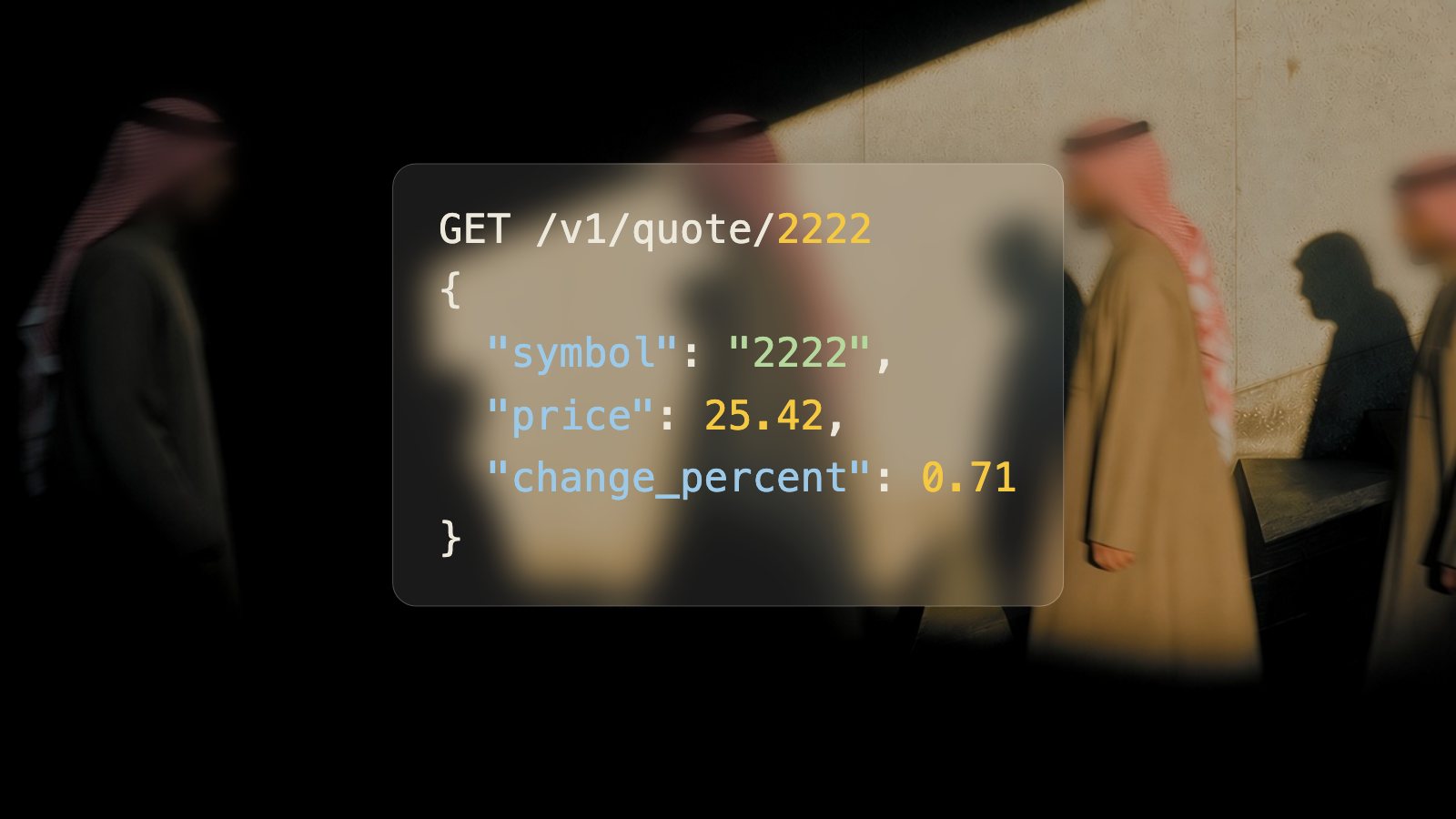
Q4 already reads every filing Saudi listed companies publish, keeps every number printed in them, and ties each one to the page it came from. Q4 Terminal puts that research in front of analysts, and Q4 MCP brings it into Claude, ChatGPT and Cursor. The Q4 API is the third way in: the same data, inside the products, models and dashboards you build.
This post is the complete guide. It explains what the Q4 API is, what data it covers, how every figure stays tied to its source, every endpoint it offers, how realtime data and webhooks work, what it costs and how to make your first request.
376 Saudi listed companies on TASI and Nomu. 5.1M+ sourced figures. 5,200+ financial reports. 1,300+ board reports. 400+ prospectuses. 1,600+ presentations. 240+ earnings calls. 80,000+ announcements. 220,000+ government data points. 1.1M+ daily price bars.
What is the Q4 API?
The Q4 API is a data API for the Saudi Stock Exchange (Tadawul). It gives software one place to get market prices, company fundamentals, the filings those fundamentals come from, earnings call transcripts, issuer announcements, dividends, corporate actions and Saudi economic statistics, for every company listed on the main market (TASI) and the parallel market (Nomu).
It is a REST API that returns JSON over HTTPS at https://api.q4.sa/v1, with a WebSocket for live prices and webhooks for new data. You authenticate every request with an API key in the x-api-key header. Field names are snake_case, money is in Saudi riyals in base units, trading dates are Riyadh dates and timestamps are UTC.
What sets it apart is the source. Every financial figure points to the document it was printed in, the page, and its exact position on that page. Your product can show users exactly where a number came from, which matters when the number goes into an investment decision, a report or an AI answer.
Why Saudi market data has been hard to use
The Saudi market publishes a lot, but most of it is built for people reading documents, not for software. Anyone who has tried to build on it runs into the same problems:
Financial statements arrive as PDFs, often scanned, with tables that span pages and numbers in thousands or millions.
Filings come in Arabic and English, and the two versions do not always line up.
Companies label the same line differently, so comparing a bank with a petrochemical company takes manual mapping.
Figures are restated in later reports, and the earlier value quietly disappears.
The detail that explains the headline numbers sits in the footnotes and the board report, as text and tables.
Prices, announcements, dividends and corporate actions live in different places, and price history needs adjusting for bonus shares and rights issues.
Q4 does that work once. It reads every document, extracts every figure with its page and position, maps the main lines to standard keys, keeps restatements, splits footnotes and board reports into sections, and links dividends and corporate actions to the announcements that disclosed them. The Q4 API hands you the result.
What’s in the Q4 API
- Companies
- Every company on the Saudi Exchange main market (TASI) and Nomu, with Arabic and English names, common aliases, sectors, industries, listing dates and shares in issue.
- Market data
- Quotes, daily, weekly and monthly price history adjusted for corporate actions, index history for TASI, Nomu and sector indices, market summary, top movers and sector performance.
- Realtime and streaming
- Live quotes, every executed trade and order book depth up to 20 levels, over REST or WebSocket.
- Fundamentals
- Income statements, balance sheets and cash flows, standardised for comparison or exactly as reported, plus ratios and side-by-side comparisons across companies.
- Footnotes
- Every table and paragraph in the notes to the financial statements: segments, loans by stage, related parties, zakat, maturities, commitments and accounting policies.
- Dividends and corporate actions
- Cash dividends with eligibility and payment dates, bonus shares, rights issues, capital changes, buybacks and splits, plus one feed of stock events.
- Filings
- Financial reports, board reports and prospectuses as PDFs, with page text, Markdown, tables and AI summaries that cite pages.
- Board reports
- Each board report split into chapters with 17 standard categories: board composition, remuneration, related-party transactions, risks, dividend policy, penalties and more.
- Presentations
- Investor and earnings decks, page by page, linked to their earnings call.
- Earnings calls
- Recordings and word-timed transcripts, split by speaker and into prepared remarks and Q&A.
- Announcements
- Every issuer announcement on Tadawul, in English and Arabic, full text and searchable.
- Economic data
- GASTAT, SAMA and Tadawul statistics as clean time series: inflation, GDP, money supply, trade, labour and more.
Coverage
All 376 companies listed on the Saudi Exchange, on the main market (TASI) and the parallel market (Nomu), identified by their Tadawul symbol, for example 2222 for Saudi Aramco and 1120 for Al Rajhi Bank. ISINs are accepted anywhere a symbol is.
All 21 Tadawul sectors, from banks and energy to materials, insurance and real estate.
Over 5,200 financial reports, 1,300 board reports, 400 prospectuses and 1,600 presentations.
Over 5.1 million usable figures read from those filings, each with its document, page and position.
Over 240 recorded earnings calls with transcripts, and over 80,000 issuer announcements.
Over 220,000 observations of Saudi government statistics from GASTAT, SAMA and Tadawul.
Company names, sectors, announcements and summaries in English and Arabic. Filings are kept in the language they were published in.
Market data: quotes, price history and indices
The quote endpoint returns the latest price, change, open, high, low, previous close, volume, value traded, number of trades, best bid and ask, and the 52-week range for any Saudi stock. Bulk quotes return up to 50 stocks in one call.
Price history comes as daily, weekly and monthly bars back to each stock’s listing, adjusted for splits, bonus shares and rights issues so returns stay comparable across corporate actions. You can ask for prices as traded instead. Intraday bars from one minute to sixty minutes cover 90 days on the Pro plan and two years on Business.
Index history covers TASI, Nomu and the sector indices. The market summary gives the index level, change, volume, value and how many stocks advanced, declined or stayed flat, and the movers endpoint ranks the top gainers, losers and most traded stocks by volume or value.
Free and Starter plans get prices delayed by 15 minutes, and every response says whether a price is delayed. Pro and above get realtime prices. Tadawul trades Sunday to Thursday, 10:00 to 15:00 Riyadh time, with a closing auction to 15:10.
Fundamentals: standardised and as reported
The Q4 API gives you the same financial statements two ways, because comparing companies and reading one company in detail need different things.
Standardised statements map every company’s lines to the same keys, such as net_income, total_assets and eps_basic, so net income means the same thing for a bank and a cement company, in every year. Use them to compare companies, screen the market and feed models. Banks and insurers share the common keys and add their own, such as net financing income and insurance revenue.
As-reported statements return every line exactly as the company printed it: its own labels in English or Arabic, in printed order, with indentation, headings, subtotals and totals, and the note number printed beside each line. Nothing is renamed, merged or dropped. Use them to read a statement in full, audit a number or cite it.
Underneath both sits the figures endpoint: one record for every printed table cell in a filing, with the row label, column, period, the value as printed, the parsed value in riyals, the scale, and the page and position. Filter it by document to get every line item in a filing, statements and notes together. Ratios cover valuation, profitability, leverage and growth, and the compare endpoint lines up the same metrics for up to 20 companies.
Footnotes: the notes to the financial statements
The notes are where companies explain the headline numbers: results by segment, loans by stage, debt maturities, related-party balances, zakat, commitments, contingencies and accounting policies. The Q4 API keeps both halves of every note.
Every table in a note is available as figures labelled with the note it sits under and the headings above it, so you can pull every segment figure in a report with one filter. Every note’s text comes back paragraph by paragraph with the page each paragraph is printed on, together with its tables, so you can quote an accounting policy and cite it. You can list a report’s notes, read one in full, or search notes across years, for example every zakat note since 2020.
Every figure traced to its page
Each figure in the Q4 API carries the fields you need to show its source:
document_id: the filing it was printed in, with a signed link to the PDF.
page: the PDF page number.
bbox: its position on the page, so you can highlight the exact cell.
printed_value: the figure exactly as printed, for example (21,664,870).
value and scale: the parsed value in riyals, with the scale printed on the table.
restatements: earlier values for the same figure, if a later filing changed it.
Standardised statement lines and as-reported cells both carry a fact_id that points to this record, so any number in your product can link back to the page it came from.
Board reports
Every Saudi listed company publishes a board of directors’ report each year. It covers what the Capital Market Authority requires the board to disclose, in each company’s own words and order. The Q4 API splits each board report into chapters and tags each with a standard category, so you can line up the same disclosure across companies and years.
Business overview, strategy, financial highlights and segments.
Board composition, board meetings and attendance, and committees.
Remuneration of board members, committee members and senior executives.
Corporate governance compliance, related-party transactions and major shareholders.
Dividend policy, risks, penalties, audit and internal controls, and sustainability.
Each chapter comes back with its text paragraph by paragraph and its tables, with every number in them available as sourced figures. Directors’ pay since 2020, related-party transactions across a sector, or every penalty disclosed this year become one request each.
Earnings calls and transcripts
Q4 records Saudi earnings calls and transcribes them. The Q4 API returns each call’s details and speakers, a signed link to the recording, and the transcript three ways: by speaker turn with start and end times, word by word with timings, or as one block of text. Each turn is labelled as prepared remarks or Q&A, so you can pull the analyst questions on their own. Earnings decks link to their call.
Announcements, dividends and corporate actions
Every issuer announcement published on Tadawul is available in English and Arabic, with full text, the original HTML tables and full-text search. Dividends come with the amount per share and in total, the board decision, eligibility and distribution dates, and the trailing yield. Corporate actions cover rights issues, bonus shares, capital increases and reductions, buybacks and splits, with shares and capital before and after. Each record links back to the announcement that disclosed it, and one stock events feed merges results, dividends, general assemblies and capital changes into a single calendar.
Saudi economic data
The Q4 API publishes statistics from the General Authority for Statistics (GASTAT), the Saudi Central Bank (SAMA) and Tadawul as clean time series: inflation, GDP, money supply, trade, labour and market statistics. Each series has a stable key, a unit and a frequency, and some are split by region or sector.
Realtime streaming, webhooks and alerts
For live products, the WebSocket at wss://api.q4.sa/v1 pushes quotes, every trade and order book depth as they change, so you do not need to poll. One connection carries up to 60 symbols on Pro, 120 on Business and the whole market on Enterprise, and messages do not count towards your request quota.
Webhooks send an HTTPS request to your server when new data lands, signed with HMAC-SHA256 so you can verify it came from Q4, and retried if your server is down. You can subscribe to these events:
announcement.created: an issuer announcement is published.
document.created and document.updated: a filing or presentation is added or changes.
financials.updated: new or restated figures for a company.
dividend.created and corporate_action.created: a dividend or corporate action is announced.
earnings_call.created and transcript.created: a call is recorded and its transcript is ready.
alert.triggered: one of your price or volume alert rules fires.
Endpoint reference
These are all 49 endpoints in version 1 of the Q4 API, with the lowest plan that can call each. The documentation has the parameters, response fields and request samples for every one.
Companies. Every company listed on the Saudi Exchange main market and Nomu, with profiles and sectors.
GET api.q4.sa/v1/companies: List companies. Lists listed companies, filtered by name, sector or market. Plan: Free.
GET api.q4.sa/v1/companies/{symbol}: Retrieve a company. Returns one company’s profile, shares and listing details. Plan: Free.
GET api.q4.sa/v1/sectors: List sectors. Lists the Tadawul sectors with how many companies are in each. Plan: Free.
Market data. Quotes, price history, indices, market breadth, trades and order book depth.
GET api.q4.sa/v1/quote/{symbol}: Retrieve a quote. Returns the latest price, change, volume and best bid and ask for one stock. Plan: Free.
GET api.q4.sa/v1/quotes: List quotes. Returns quotes for up to 50 stocks in one call. Plan: Starter+.
GET api.q4.sa/v1/prices/{symbol}/history: Retrieve price history. Returns OHLCV bars for a stock, adjusted for splits, bonus shares and rights issues. Plan: Starter+.
GET api.q4.sa/v1/indices/{index}/history: Retrieve index history. Returns daily or intraday values for TASI, Nomu and the sector indices. Plan: Starter+.
GET api.q4.sa/v1/market/summary: Retrieve market summary. Returns the index level, breadth and totals for the session. Plan: Free.
GET api.q4.sa/v1/market/movers: List market movers. Returns the top gainers, losers, or most traded stocks by volume or value. Plan: Free.
GET api.q4.sa/v1/market/sectors: List sector performance. Returns the day’s change, volume and value for every sector. Plan: Free.
GET api.q4.sa/v1/market/trades/{symbol}: List trades. Returns the latest executed trades for a stock, newest first. Plan: Business+.
GET api.q4.sa/v1/market/depth/{symbol}: Retrieve order book depth. Returns the best bids and asks for a stock, up to 20 levels deep. Plan: Business+.
WebSocket. Realtime quotes, trades and depth pushed over a WebSocket connection.
WS api.q4.sa/v1/ws/stocks: Quotes stream. Pushes a quote every time a subscribed stock’s price, volume or best bid and ask changes. Plan: Pro+.
WS api.q4.sa/v1/ws/trades: Trades stream. Pushes every executed trade for the stocks you subscribe to. Plan: Business+.
WS api.q4.sa/v1/ws/depth: Depth stream. Pushes the top 10 levels of the order book whenever they change. Plan: Business+.
Fundamentals. Financial statements, every printed figure with its page, ratios, dividends, corporate actions and stock events.
GET api.q4.sa/v1/companies/{symbol}/financials: Retrieve standardised statements. Returns income statements, balance sheets and cash flows mapped to standard line items, for comparing companies and periods. Plan: Starter+.
GET api.q4.sa/v1/companies/{symbol}/financials/as-reported: Retrieve as-reported statements. Returns a financial statement exactly as the company printed it: every line, in order, with its subtotals and note references. Plan: Starter+.
GET api.q4.sa/v1/companies/{symbol}/facts: List figures. Returns every number printed in a company’s filings, including the notes to the financial statements, with the page and position it came from. Plan: Starter+.
GET api.q4.sa/v1/companies/{symbol}/ratios: Retrieve ratios. Returns valuation, profitability, leverage and growth ratios by period. Plan: Starter+.
GET api.q4.sa/v1/compare: Compare companies. Returns the same metrics side by side for several companies. Plan: Starter+.
GET api.q4.sa/v1/companies/{symbol}/dividends: List dividends. Returns announced and paid cash dividends, with eligibility and payment dates. Plan: Starter+.
GET api.q4.sa/v1/companies/{symbol}/corporate-actions: List corporate actions. Returns rights issues, bonus shares, capital changes, buybacks and splits. Plan: Starter+.
GET api.q4.sa/v1/events: List stock events. A single feed of results, dividends, AGMs, capital changes and other material events. Plan: Pro+.
GET api.q4.sa/v1/companies/{symbol}/notes: Search notes. Finds notes across all of a company’s financial reports by title or text, e.g. every segment note since 2020. Plan: Starter+.
Documents. Financial reports, board reports, presentations and prospectuses, with page text and summaries.
GET api.q4.sa/v1/documents: List documents. Lists filings and decks, newest first, filtered by company, type and period. Plan: Free.
GET api.q4.sa/v1/documents/{id}: Retrieve a document. Returns one document’s metadata and a signed link to the PDF. Plan: Free.
GET api.q4.sa/v1/documents/{id}/pages: List document pages. Returns the extracted text of each page, with detected tables. Plan: Starter+.
GET api.q4.sa/v1/documents/{id}/text: Retrieve document text. Returns the whole document as plain text or Markdown, with page markers. Plan: Starter+.
GET api.q4.sa/v1/documents/{id}/summary: Retrieve document summary. Returns an AI summary of the document, each point cited to its page. Plan: Starter+.
GET api.q4.sa/v1/documents/{id}/notes: List notes. Lists the notes to the financial statements in a financial report, in order, with their pages. Plan: Starter+.
GET api.q4.sa/v1/documents/{id}/notes/{number}: Retrieve a note. Returns one note’s full text, its tables, and the figures in them. Plan: Starter+.
GET api.q4.sa/v1/documents/{id}/sections: List sections. Lists the chapters of a board report, in order, each tagged with a standard category. Plan: Starter+.
GET api.q4.sa/v1/documents/{id}/sections/{section_id}: Retrieve a section. Returns one board report chapter in full: its text paragraph by paragraph with pages, and its tables with the figures in them. Plan: Starter+.
GET api.q4.sa/v1/companies/{symbol}/sections: Search board report sections. Returns the same board report chapter across years, e.g. directors’ remuneration since 2020. Plan: Starter+.
Earnings calls. Earnings call recordings with word-timed transcripts.
GET api.q4.sa/v1/earnings-calls: List earnings calls. Lists recorded earnings calls, newest first. Plan: Pro+.
GET api.q4.sa/v1/earnings-calls/{id}: Retrieve an earnings call. Returns one call’s details, speakers and linked presentation. Plan: Pro+.
GET api.q4.sa/v1/earnings-calls/{id}/transcript: Retrieve a transcript. Returns the transcript by speaker turn, with start and end times, or word by word. Plan: Pro+.
GET api.q4.sa/v1/earnings-calls/{id}/audio: Retrieve call audio. Returns a signed link to the call recording. Plan: Pro+.
Announcements. Issuer announcements published on Tadawul.
GET api.q4.sa/v1/announcements: List announcements. Lists issuer announcements published on Tadawul, newest first. Plan: Starter+.
GET api.q4.sa/v1/announcements/{id}: Retrieve an announcement. Returns one announcement with its full text and HTML. Plan: Starter+.
Economic data. Saudi government statistics from GASTAT, SAMA and Tadawul.
GET api.q4.sa/v1/economic/series: List series. Lists the government statistics series we publish, by source and topic. Plan: Business+.
GET api.q4.sa/v1/economic/series/{key}/observations: List observations. Returns a series’ values over time, optionally split by its dimensions. Plan: Business+.
Webhooks & alerts. Register endpoints for push notifications and price alert rules.
POST api.q4.sa/v1/webhooks: Create a webhook. Registers an HTTPS endpoint to receive events. Plan: Pro+.
GET api.q4.sa/v1/webhooks: List webhooks. Lists your webhook endpoints and their delivery health. Plan: Pro+.
DELETE api.q4.sa/v1/webhooks/{id}: Delete a webhook. Stops deliveries to an endpoint and deletes it. Plan: Pro+.
POST api.q4.sa/v1/alerts: Create an alert rule. Sends an alert.triggered webhook when a price or volume condition is met. Plan: Pro+.
GET api.q4.sa/v1/alerts: List alert rules. Lists your alert rules and when they last fired. Plan: Pro+.
DELETE api.q4.sa/v1/alerts/{id}: Delete an alert rule. Deletes an alert rule. Plan: Pro+.
Account. Your plan and remaining quota.
GET api.q4.sa/v1/usage: Retrieve usage. Returns your plan, today’s request count and when the quota resets. Does not count towards it. Plan: Free.
Authentication, pagination, limits and errors
Every request sends your API key in the x-api-key header. Live keys start with q4_live_ and test keys with q4_test_. Keys do not expire; you can revoke one at any time, and your plan sets how many you can create. The version is in the path, /v1, and within a version Q4 only adds things, so new fields never break your code.
Lists return a page of results and a cursor for the next page, up to 500 results a page. Filter lists by symbols, dates and updated_after, so you can backfill once and then fetch only what changed.
Every response reports your daily quota in the X-RateLimit-Limit, X-RateLimit-Remaining and X-RateLimit-Reset headers, and the quota resets at midnight Riyadh time. Errors use standard HTTP status codes and always have the same shape, with a stable code you can branch on:
400 INVALID_PARAM: A parameter is missing, the wrong type, or out of range.
401 AUTH_REQUIRED: No API key was sent.
401 INVALID_API_KEY: The API key is wrong or revoked.
403 PLAN_LIMIT: Your plan doesn’t include this endpoint, option or history.
404 NOT_FOUND: No resource with that ID.
404 INVALID_SYMBOL: No listed company with that symbol or ISIN.
409 AMBIGUOUS_IDENTIFIER: The identifier matches more than one security.
429 RATE_LIMITED: Daily or per-minute limit reached. See Retry-After.
500 SERVER_ERROR: Something went wrong on our side. Retry with backoff.
503 UNAVAILABLE: Temporarily unavailable, e.g. during maintenance.
Get started in a minute
Sign up on the Q4 API page with your email. Tell us what you would build, if you like.
Get your API key by email. It starts with q4_live_.
Send the key in the x-api-key header with any request. Here is Saudi Aramco’s quote:
curl -H "x-api-key: $Q4_API_KEY" https://api.q4.sa/v1/quote/2222The documentation covers every endpoint with request samples in cURL, Python and JavaScript, and guides to authentication, pagination, rate limits, errors, the WebSocket and webhooks. There is a machine-readable OpenAPI file at q4.sa/docs/openapi.json and an llms.txt at q4.sa/docs/llms.txt for AI tools.
Four ways to connect
REST API: pull companies, prices, figures, filings and transcripts on demand.
WebSocket: live quotes, trades and depth pushed as they change.
Webhooks: an HTTP request when a filing, announcement or transcript lands, plus price and volume alerts.
MCP: give Claude, ChatGPT and other AI assistants cited access to the same data, through the Q4 MCP connector.
Pricing
There is a free plan to try the API on real data, and every endpoint shows the lowest plan that can call it. Prices are in Saudi riyals a month, excluding VAT, and annual billing saves 20%.
Free: no cost. Try the API on real data. 100 requests a day, 1 API keys. Includes: Company list and profiles; Quotes delayed by 15 minutes; Market summary, movers and sectors; Document lists and metadata.
Starter: SAR 99 a month. Fundamentals and history for research tools. 5,000 requests a day, 3 API keys. Includes: Daily, weekly and monthly price history; Bulk quotes, up to 50 symbols per call; Financial statements, ratios and sourced figures; Dividends and corporate actions; Document text, pages and summaries; Tadawul announcements.
Pro: SAR 349 a month. Realtime prices and earnings calls for live products. 50,000 requests a day, 10 API keys. Includes: Realtime quotes; Intraday bars, 90 days of history; WebSocket streaming, 60 symbols per connection; Earnings calls, transcripts and audio; Stock events feed; Webhooks and alert rules.
Business: SAR 999 a month. Market microstructure and macro data at scale. 150,000 requests a day, 30 API keys. Includes: Trade-by-trade feed and order book depth; Intraday history from 2 years, 5-minute bars and up; Government and economic data; Compare up to 20 companies per call; Bulk export.
Enterprise: custom pricing. Custom limits, SLA and redistribution. Custom request limits, custom number of API keys. Includes: Custom request limits; Full-market WebSocket subscription; Service-level agreement; Redistribution rights; Dedicated support.
Daily requests are shared by every key on an account. Going over a limit returns an error until the quota resets; you are never billed for overage without being asked.
What people build with it
Trading and brokerage apps that show live Saudi prices, charts and company pages.
Equity research tools that pull statements, footnotes and transcripts for a coverage list.
Portfolio trackers with dividends, corporate actions and adjusted returns.
Financial models in Excel, Python or a data warehouse, refreshed from one source.
AI assistants and chatbots that answer questions about Saudi companies and cite the page.
Market data websites and news products with quotes, movers and announcements.
Internal dashboards for asset managers, banks and investor-relations teams.
Academic research on the Saudi market with clean, sourced time series.
Q4 API, Q4 MCP and Q4 Terminal
- Q4 Terminal
- The research app: ask questions about Saudi companies and read answers traced to the source. For analysts and investors.
- Q4 MCP
- The same research inside Claude, ChatGPT and Cursor, through the Model Context Protocol. For people who work in an AI assistant.
- Q4 API
- The data itself, for your own code: prices, fundamentals, filings, transcripts and more, as JSON. For teams building products, models and dashboards.
All three read the same data, so a number in the Terminal, an answer in Claude and a value from the API agree, and all three point back to the same page.
Get your API key
Fintechs and brokerages, asset managers and banks, research teams and anyone building products for investors in the Kingdom can start on the free plan today and move up when they go live.
Frequently asked questions
What is the Q4 API?
The Q4 API is a Saudi Stock Exchange (Tadawul) data API. It gives your code prices, financial statements, footnotes, filings, board reports, earnings call transcripts, announcements, dividends, corporate actions and economic data for every company listed on TASI and Nomu, with the source page behind every figure.
Is there an API for the Saudi Stock Exchange?
Yes. The Q4 API covers every company listed on the Saudi Exchange (Tadawul), on the main market and Nomu: quotes, price history, indices, fundamentals, filings, announcements and more, through one REST API with a WebSocket and webhooks.
Does the Q4 API cover every Saudi listed company?
Yes. It covers all 376 companies listed on the Saudi Exchange, on the main market (TASI) and the parallel market (Nomu), across all 21 sectors.
Does the Q4 API have realtime Tadawul prices?
Yes, on the Pro plan and above, over REST and WebSocket, including every trade and order book depth on Business. The Free and Starter plans get quotes delayed by 15 minutes, and every response says which you got.
Can I get historical Saudi stock prices?
Yes. Daily, weekly and monthly bars go back to each stock’s listing, adjusted for splits, bonus shares and rights issues. Intraday bars cover 90 days on Pro and two years on Business.
Can I get financial statements exactly as the company printed them?
Yes. As-reported statements give every line as printed, in order, with subtotals and note references. Standardised statements map every company to the same line items for comparison. Both link each value to the page it came from.
Does the Q4 API include the notes to the financial statements?
Yes. Every table in the notes is available as figures labelled with their note, and every note’s text comes back paragraph by paragraph with its page. You can also search notes across years.
Does the Q4 API include board reports?
Yes. Each board of directors’ report is split into chapters with standard categories, such as board composition, remuneration, related-party transactions and risks, with the text and every number in its tables.
Does the Q4 API have earnings call transcripts for Saudi companies?
Yes. It has recordings and word-timed transcripts for over 240 Saudi earnings calls, split by speaker and into prepared remarks and Q&A.
How do I know where a number came from?
Every figure carries the document it was printed in, the page number and its position on the page, plus the value exactly as printed. Restated figures keep their earlier values.
How much does the Q4 API cost?
There is a free plan. Paid plans are Starter at SAR 99, Pro at SAR 349, Business at SAR 999 a month, excluding VAT, and Enterprise is custom. Annual billing saves 20%.
Is there a free Saudi stock market API?
The Q4 API has a free plan with company profiles, quotes delayed by 15 minutes, the market summary, movers, sectors and document lists, with 100 requests a day.
How do I authenticate with the Q4 API?
Send your API key in the x-api-key header with every request. Keys start with q4_live_ or q4_test_ and can be revoked at any time.
Is there an OpenAPI specification?
Yes, at q4.sa/docs/openapi.json, along with an llms.txt at q4.sa/docs/llms.txt for AI tools.
How is the Q4 API different from Q4 MCP?
Q4 MCP connects AI assistants like Claude, ChatGPT and Cursor to Q4, so you research in a conversation. The Q4 API is for your own code, so Q4’s data can sit inside the products and models you build. Both read the same data.
Is the data available in Arabic?
Company names, sectors, announcements and summaries come in Arabic and English, and as-reported statements can be read from the Arabic filing. Filings are kept in the language they were published in.